QUESTION
I have text and/or spreadsheet information that I would like to copy into Chief Architect. How can I do this?
ANSWER
Text can be copied to and from Chief Architect using the Copy and Paste tools and/or the associated shortcut keyboard commands for Copy and Paste.
To copy text from Chief Architect to another program
- While in a Chief Architect plan or layout file, use the Select Objects
 tool to select the text you wish to copy.
- Click the Copy/Paste
 edit button or navigate to Edit> Copy
  from the menu.
If you don't want to copy all of the content located within a text object, open the text object to specification instead, highlight the desired text that you wish to copy, then press Ctrl + C if you're on a Windows PC or Command + C if you're on a Mac.
- Open the program you wish to paste this copied text into and press Ctrl + V if you're on a Windows PC or Command + V if you're on a Mac.
To copy text from another program into Chief Architect
- Select the text you would like to copy, then press Ctrl + C if you're on a Windows PC or Command + C if you're on a Mac.
- Open your desired Chief Architect plan or layout file, then click Edit> Paste> Paste
 from the menu, or press Ctrl + V if you're on a Windows PC or Command + V if you're on a Mac.
To copy a spreadsheet into Chief Architect
-
Select the cells that you would like to copy from a spreadsheet application, then press Ctrl + C if you're on a Windows PC or Command + C if you're on a Mac.
- Open the Chief Architect plan or layout file in which you would like to paste the text from another program.
- Select Edit> Paste> Paste Special
 .
.
- In the Paste Special dialog:
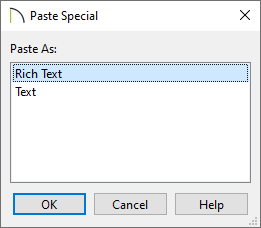
- Choose Rich Text and click OK if you would like to create a rich text object that will maintain hyperlinks, text color, and other limited formatting from the original application.
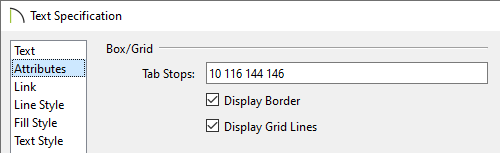
- Choose Text and click OK if you would like to create a simple text object with a single font and style format, or a text object with Tab-delimited columns. If choosing this option, consider checking the Display Border and Display Grid Lines boxes located on the Attributes panel of the Text Specification dialog if you would like to simulate columns/rows. Alignment options are also available on this panel.
To add text to the library*
*Applies to X13 and newer program versions.
- Using the Select Objects tool, select the text object that you would like to add to the library.
- On the Edit toolbar, click on the Add to Library
 tool to add the text object to the User Catalog section of the Library Browser.
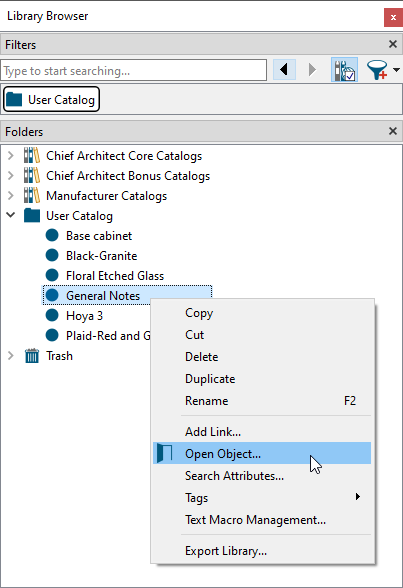
- If additional changes need to be made to the added text object, right-click on it from within the User Catalog and choose Open Object
 .
.