How do I match the height of my terrain with the height of my building? In some drawings, the structure seems to float above the terrain while in other plans, the building sinks into the terrain.
In Chief Architect, both the floor height of Floor 1 and the initial height of the terrain are given values of 0. However, the floor and the terrain are not actually at the same height. The program automatically raises the default floor height of Floor 1 up above the default terrain. This value varies depending on the type of foundation that you choose to build, as well as the Absolute Elevation options in X17 and newer or the Subfloor Height Above Terrain value in X16 and prior.
 tool active, click on the terrain perimeter to select it, then click the Open Object
  edit button.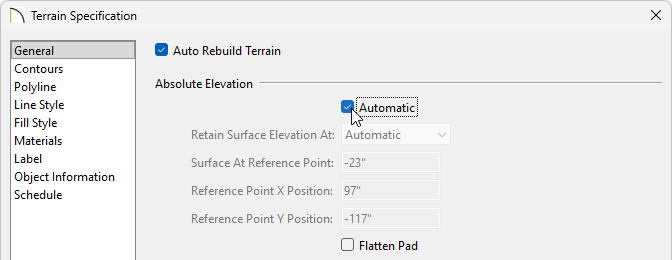
The Contour 0 option will function the same way that Subfloor Height Above Terrain functioned in X16 and prior. For more information about these options, please see your program's Help documentation.
 from the menu to see the results.
