QUESTION
My room labels show the dimensions of the rooms. What do I need to change so that the room's square footage, or area, displays below the room name instead?
ANSWER
By default, Chief Architect shows the internal dimensions of a room in its room label. There are, however, ways to display a room's square footage, or area, in room labels.
To specify how room size is shown in room labels
- From the menu, select Tools> Layer Settings> Display Options
 to open the Layer Display Options dialog, then scroll down to the layers with names that begin with "Rooms".
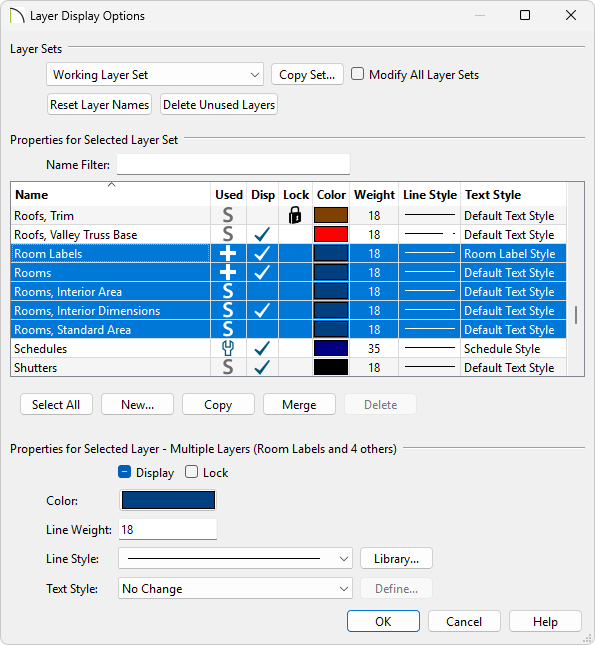
- Notice that there are three layers that refer to how room size can be described. Click to place a check in the Display column of any layer(s) that suits your needs:
-
Rooms, Standard Area is measured from the center of interior walls that define the room and from either the outside surface or the outside of the Main Layer of exterior walls, depending on the "Living Area to" setting in the General Plan Defaults dialog. It is rounded to the nearest square foot or mm and does not include the area within bay, box, and bow windows.
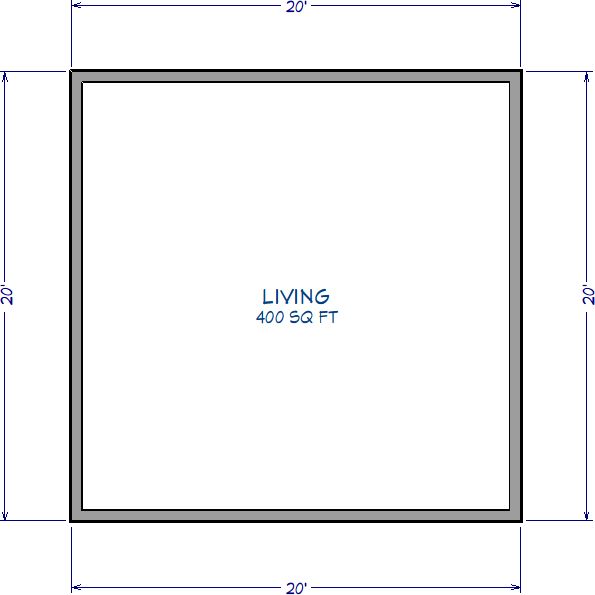
-
Rooms, Interior Area is measured from the inner surfaces of all the room's walls.
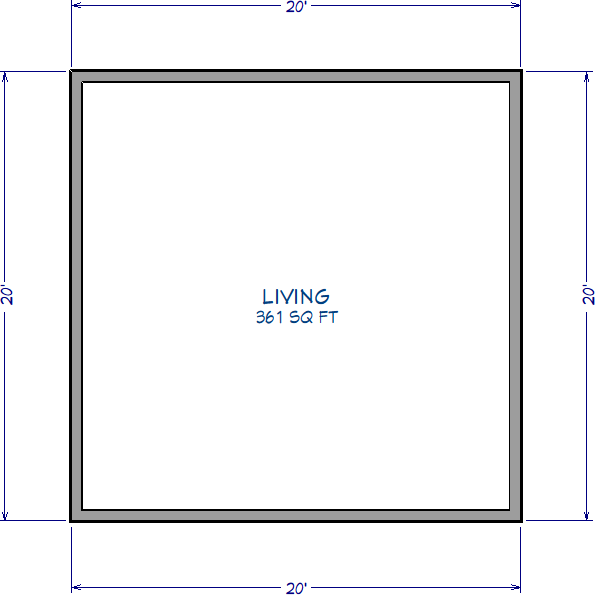
-
Rooms, Interior Dimensions is also measured from the inner surfaces of the room walls. This option is selected by default.
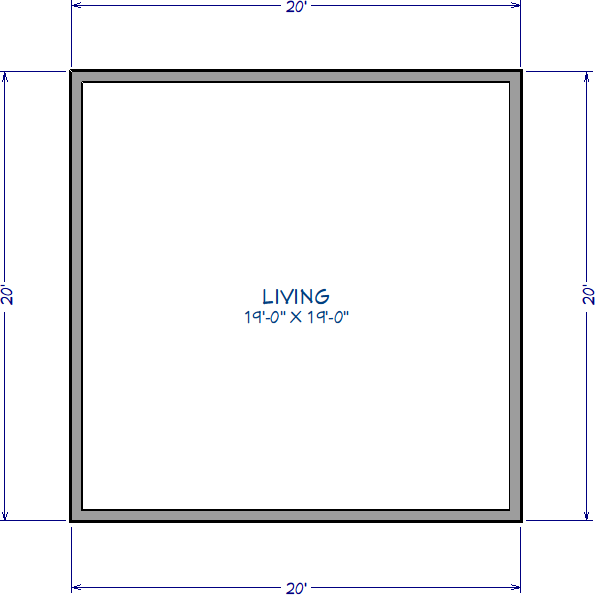
Room information, including volume, can also be displayed using macros. Additionally, you can change how square footage, or living area, is calculated in Chief Architect. Please see the Related Articles section below to learn more.
