QUESTION
I need to create an appliance garage with a vertical sliding tambour door in my cabinet. Is there a way to do this in Chief Architect?

ANSWER
You can change the door style of any cabinet using a selection of pre-made doors located in the Library Browser.
In this article, we will add a bread door, also known as a tambour door, to a wall cabinet using a door style located in the Chief Architect Core Catalogs.
To create an appliance garage with a tambour door
-
Start by adding a wall cabinet to your plan by going to Build> Cabinet> Wall Cabinet
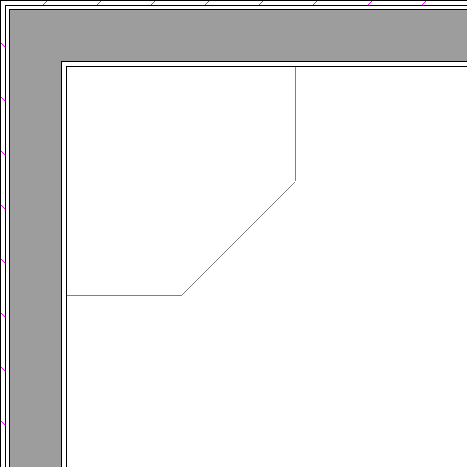
 . When moving the cursor into a corner, notice that the temporary preview will update to reflect a corner wall cabinet with a diagonal door. Click to place the the cabinet.
-
Using the Select Objects
 tool, click on the wall cabinet, then select the Open Object
  edit button.
-
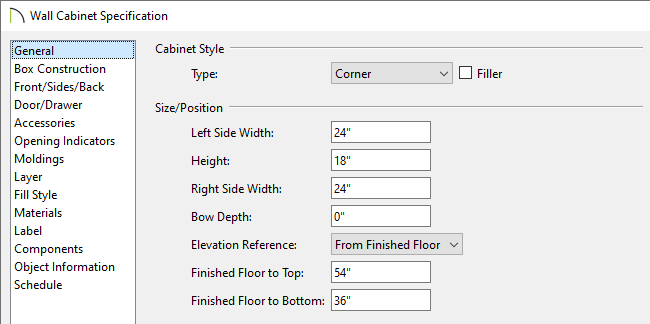
On the General panel of the Wall Cabinet Specification dialog that opens, adjust properties such as the Left/Right Side Widths, Height, and Finished Floor to Top/Bottom values to your liking.
In this example, the Left and Right Side Widths are set to 24", the Height is set to 18", and the Finished Floor to Top is set to 54".
- On the Box Construction panel, change the Door/Drawer Overlay to Inset with a Clearance of 0.
The top and bottom of a cabinet can also be toggled on/off. To remove the bottom of the cabinet, select the "No Bottom" option.
-
On the Front/Sides/Back panel:
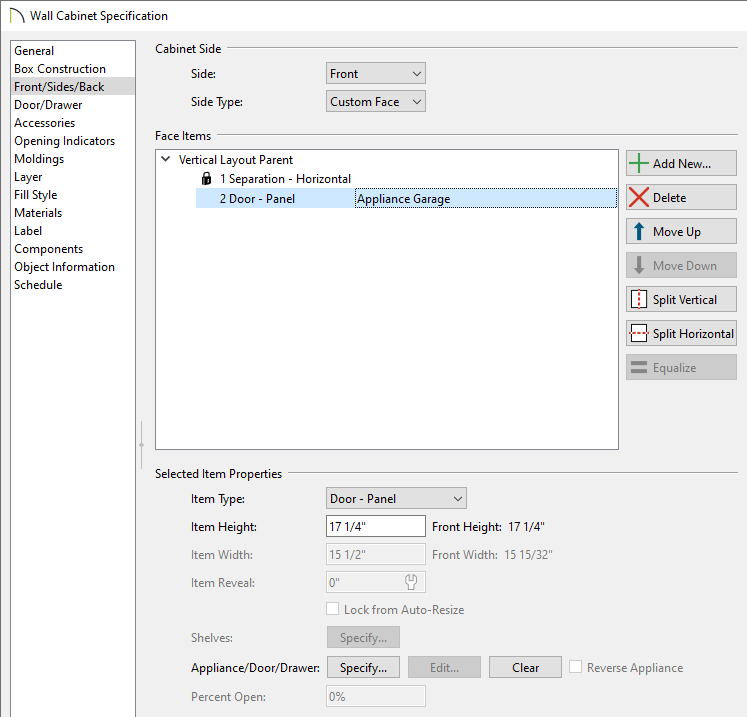
- Select the 3 Separation - Horizontal face item option and click the Delete button to remove it from the cabinet.
- Next, click on the 2 Door - Auto Right option to select it, then change the Item Type to Door - Panel using the drop-down menu.
- Click the Specify button next to Appliance/Door/Drawer.
- In the Door Face Item Specification dialog, click the Library button.
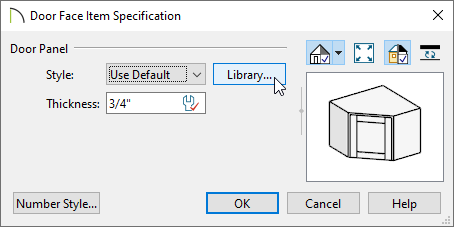
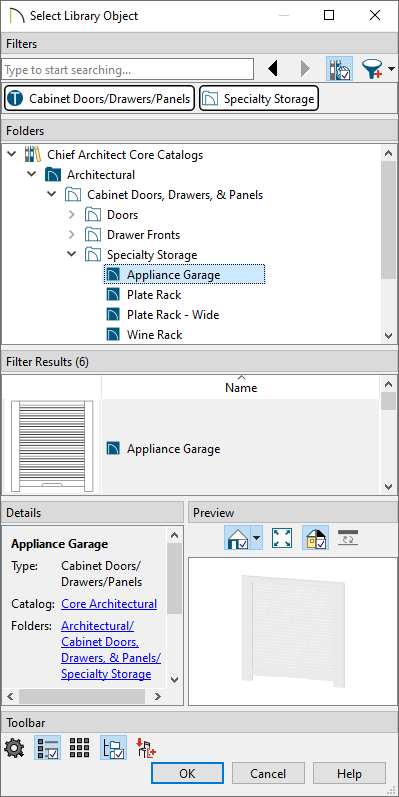
- In the Select Library Object dialog that opens next, browse to Chief Architect Core Catalogs> Architectural> Cabinet Doors, Drawers, & Panels> Specialty Storage, choose Appliance Garage, then click OK.
-
Specify the desired Thickness* of the door, then click OK once again to return to the Wall Cabinet Specification dialog.
*Applies to Chief Architect X16 and newer versions.
-
Make any other desired modifications to the cabinet, such as to the Materials and Moldings, then click OK.
-
Take a Camera
 view to see the results.
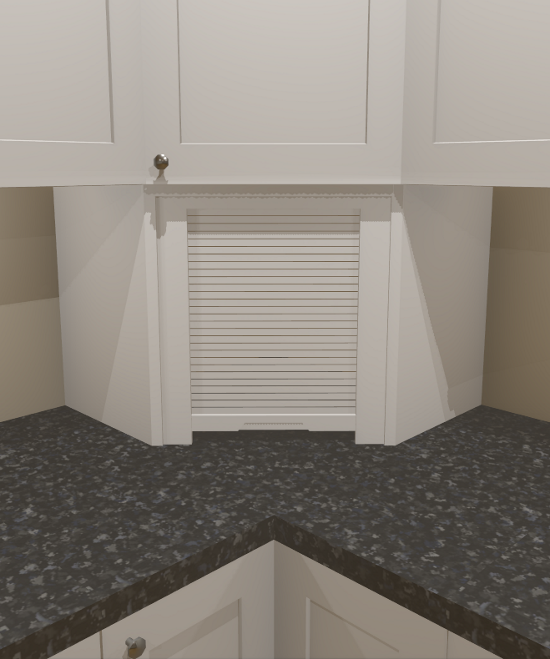
You may also find it easier to place a corner cabinet on top of the appliance garage while you're in a camera view.
