Ray Trace

Create realistic images using Chief Architect's built-in Ray Trace engine; learn how to customize the lighting and materials to create the perfect scene.

Number
Title / Description


1970

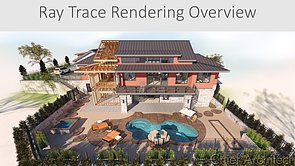
11:17 Ray Tracing Overview

Ray Tracing Overview

An overview of ray trace rendering including the key steps to create good renderings, how ray tracing works using the physically based rendering (PBR) camera.

Video No. 1970


1977

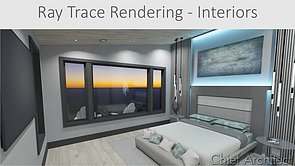
19:51 Interior Ray Tracing

Interior Ray Tracing

Interior ray trace rendering focuses specifically on interior scenes including the key steps and settings to create good ray trace renderings. The video goes through the process with a couple of interior rendering examples.

Video No. 1977


1978

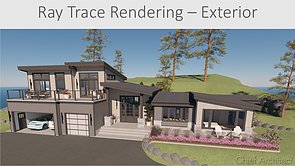
20:11 Exterior Ray Tracing

Exterior Ray Tracing

Exterior ray trace rendering focuses specifically on renderings for exterior scenes. The video goes through the key steps and render settings with a couple of exterior rendering examples.

Video No. 1978


1971

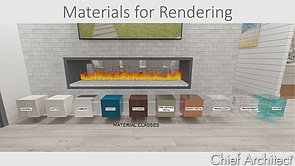
15:14 Materials for Rendering

Materials for Rendering

Material properties, settings and adjustments important for 3D rendering. This video includes adjusting materials using the adjust definition tool, importing materials, using the material builder tool, making materials emissive and camera settings.

Video No. 1971


1979

10:52 Backdrops for Rendering

Backdrops for Rendering

Backdrop basics, importing backdrops, panoramic and HDR backdrops, and using the generated sky model backdrop.

Video No. 1979


1972

23:39 Lighting for Rendering

Lighting for Rendering

Sun angles, setting the north pointer, latitude / longitude, point and spots lights, added lights (non-fixture lights), area lights and using light sets

Video No. 1972


403

10:09 360 Panorama Renderings

360 Panorama Renderings

Save or export a 360 degree rendering to share your designs with your clients.

Video No. 403


1973

8:13 Ray Tracing - GPU Camera Settings

Ray Tracing - GPU Camera Settings

This video is a part of a series of videos on Ray Tracing. It covers the rendering settings contained within the camera view, as well as the Physically Based rendering technique options. Also shows how to save/export an image to your computer.

Video No. 1973


1976

10:12 Tips and Tricks for Creating Better Renderings

Tips and Tricks for Creating Better Renderings

Customize camera settings to match each scene, here are some tips on which settings to use.

Video No. 1976


1974

6:07 Ray Tracing in X16 and prior - CPU Lighting

Ray Tracing in X16 and prior - CPU Lighting

This video is a part of a series of videos on Ray Tracing. It covers the lighting properties relevant to a CPU Ray Trace, including adding a sun angle, light settings, and the lighting and sunlight settings within the Ray Trace Assistant.

Video No. 1974


1975

8:30 Ray Tracing in X16 and prior - CPU Camera Settings

Ray Tracing in X16 and prior - CPU Camera Settings

This video is a part of a series of videos on Ray Tracing. It covers using the CPU Ray Trace Assistant, editing Ray Trace configurations, and image properties for a CPU Ray Trace. It also shows how to save the image to your computer.

Video No. 1975


Back to top