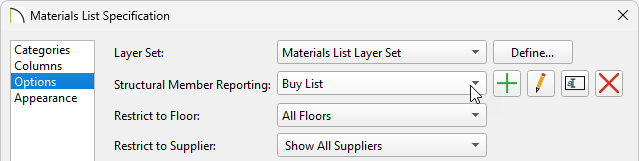
The materials list displays my framing using linear length. How can I change this to a cut or buy list as well as make changes to the cut/buy list?
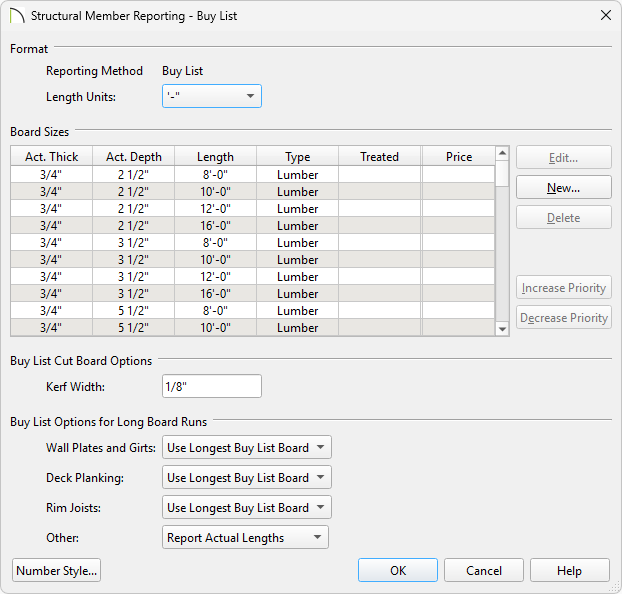
The Structural Member Reporting Defaults dialog allows you to make modifications to each type of reporting calculation, while the Materials List Defaults dialog allows you to choose the default reporting method.
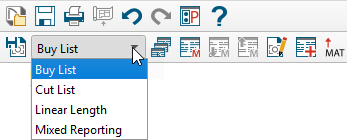
You can also change the reporting method using the Structural Member Reporting Control drop-down toolbar when a materials list is active or by accessing the Materials List Specification dialog.
 from the menu.
 .
.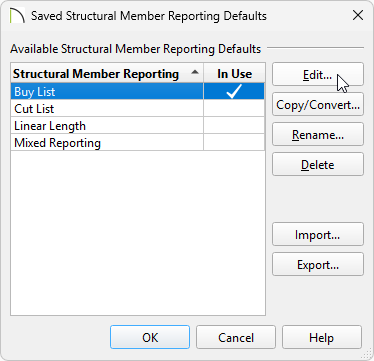
To learn more about the other options located in this dialog, such as the importing and exporting of this data, please click on the Help button at the bottom to open your program's documentation.
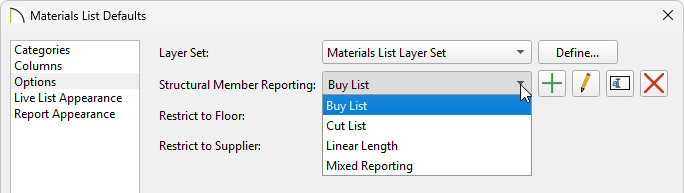
When a Materials List is active, use the Structural Member Reporting Control drop-down toolbar to choose which reporting method the materials list uses.
This information can also be adjusted on the Options panel of the Materials List Specification dialog. This can be accessed by navigating to Tools> Active View> Edit Active View  while a materials list is active, or by right-clicking on a saved materials list from the Project Browser
  and choosing Edit View.