I am designing a plan with thick exterior walls and very deep doors or windows. How can I control where the object is inset within the jamb or frame?
A home that employs thick wall types, such as straw bale, brick, rammed earth, or logs, may have very deep doors and windows. In Chief Architect, you can specify the offset or depth for a door or window, whether it is located near the exterior of the wall, near the interior, or at the center.
*Applies to Chief Architect Premier X16 and newer versions.
 tool, click on a door to select it, then click on the Open Object
  button.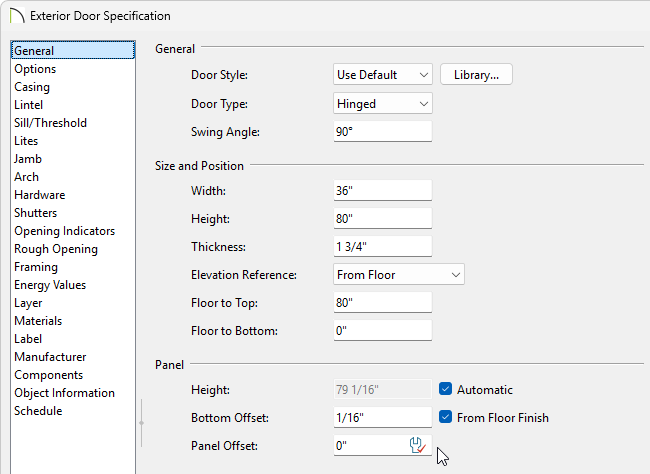
Note: The Panel Offset field is not available in the Mulled Unit Specification dialog.
When this box is checked, the frame Depth automatically extends from the Recessed Into Wall layer to the wall’s inside surface with an Inset of 0”. The Recessed Into Wall layer is specified on the Options Panel of this dialog.
tool, click on a window select it, then click on the Open Object button.Note: The Frame panel is not available in the Mulled Unit Specification.
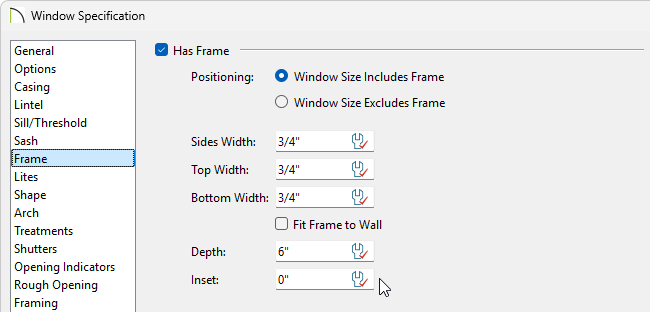
When this box is checked, the frame Depth automatically extends from the Recessed Into Wall layer to the wall’s inside surface with an Inset of 0”. The Recessed Into Wall layer is specified on the Options Panel of this same dialog.
Note: The Sash panel is not available in the Wall Niche, Mulled Unit, and Window Symbol Specification dialogs, and the settings on this panel are not available for Pass-Throughs.
