I am using X17, Home Designer 2026, or a newer version, and I need to send a project to someone, or transfer a project over to another computer. What is the best way to accomplish this?
In X17, Home Designer 2026, and newer versions, projects can easily be exported using the Export function(s).
Reasons you might perform an export of these files:
Note: If you're using X16, Home Designer 2025, or a prior version, please refer to the "Using the Backup Entire Plan/Layout Tool" resource located in the Related Articles section.
 while a plan or layout is open.
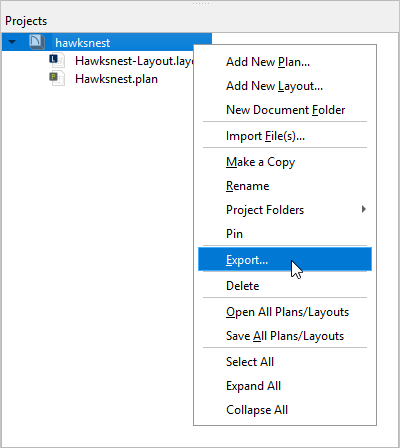
 , right-click on a single project, and select Export from the contextual menu.
 Note: On a Mac, hold down the Control key while clicking to initiate a right-click command. More information about right-click commands on Apple input devices can be found in the following Apple resource: Right-click on Mac.
 if you're in a plan file, or Export Layout as Project if you're in a layout file.
 Note: If you use the Export Layout as Project tool while in a layout file, the layout and all plans associated with the layout will be backed up. However, if you use the Export Plan as Project tool while in a plan file, only the plan will be backed up.
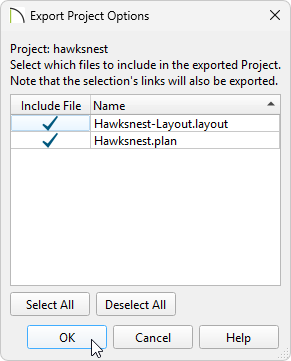
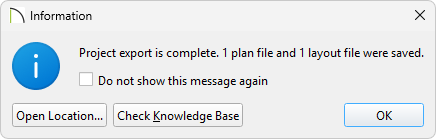
Although all referenced assets are included in a project export, individual assets can also be exported independently if you're using Project Management. Navigate to Tools> Asset Management, select the asset file you want to export, then click "Export". Alternatively, you can navigate to File> Export> Export Managed Resources, select the asset file you want to export, then click "Browse".
You can also export individual files that are located directly within the Project Browser; right-click on a file within the side window, then click "Export" from the contextual menu.
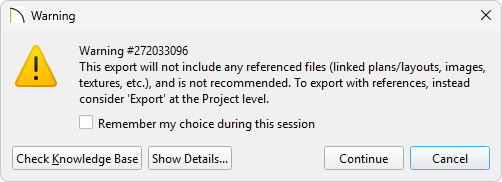
, then click Export Disconnected Plan or Export Disconnected Layout. Note: On a Mac, hold down the Control key while clicking to initiate a right-click command. More information about right-click commands on Apple input devices can be found in the following Apple resource: Right-click on Mac.